
If you see “Restricted Viewing Area” or “Not Available in Your Area,” the event isn’t available to stream from your current location. This is usually because of regional broadcast rights or because a VPN, proxy, or other location-masking service is preventing us from verifying your location.
How to identify a restricted event
You may see one or more of the following indicators when viewing the website with your paid or free account:
- Schedule page: The event displays an Unavailable label with a crossed-out location icon under the Streaming column.

- Event thumbnail: The event displays a NOT AVAILABLE IN YOUR AREA banner.
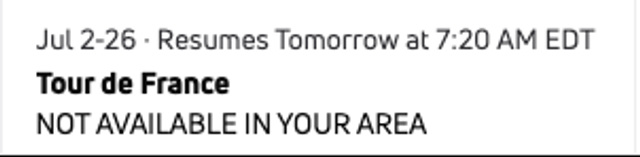
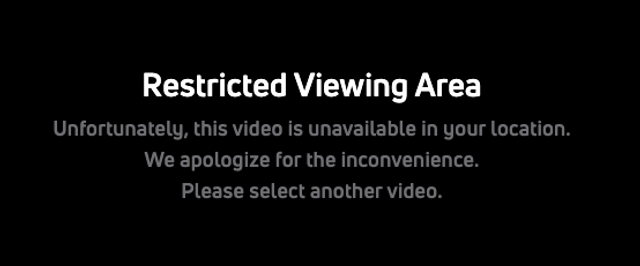
- Video player: The player displays the message: “Restricted Viewing Area. Unfortunately, this video is unavailable in your location.”
Why this happens
FloSports streams events under licensing agreements with sports leagues, conferences, and governing bodies. These agreements determine where each event can be viewed, so some events are only available in specific countries or regions.
Your subscription does not determine whether an event is available. Access is based on your current physical location when you try to watch. If you’re traveling or located in a region where another broadcaster holds the streaming rights, the event may not be available.
Using a VPN or proxy
If you’re using a VPN, proxy, or other location-masking software, we may not be able to verify your location. To comply with broadcast agreements, the stream may be unavailable.
To check whether this is the cause:
- Turn off your VPN or proxy.
- Close and reopen your browser or the FloSports app.
- Refresh the page and try the stream again.
If you’re not using a VPN and still see this message, the event isn’t available in your current location.
If you believe you’re seeing the message in error, contact FloSports Support for additional assistance.