
Update your payment method
The easiest way to manage your FloSports account is through a web browser. You can update the payment method for subscriptions purchased directly through FloSports from your account settings.
To update your payment method
- Sign in to your FloSports account.
- Open Subscription.
- Select Manage on your active current subscription,
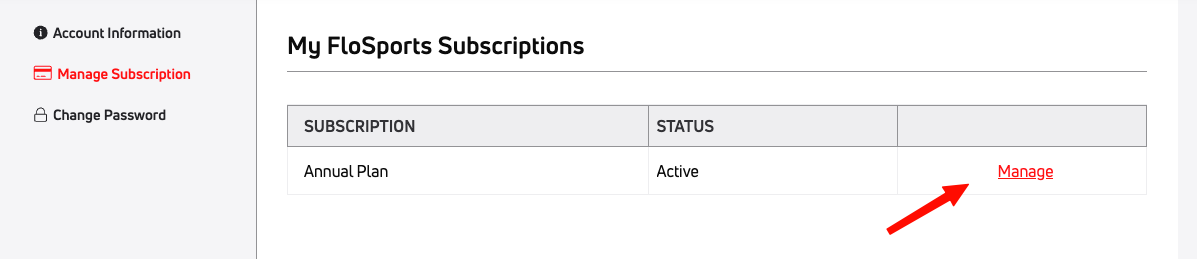
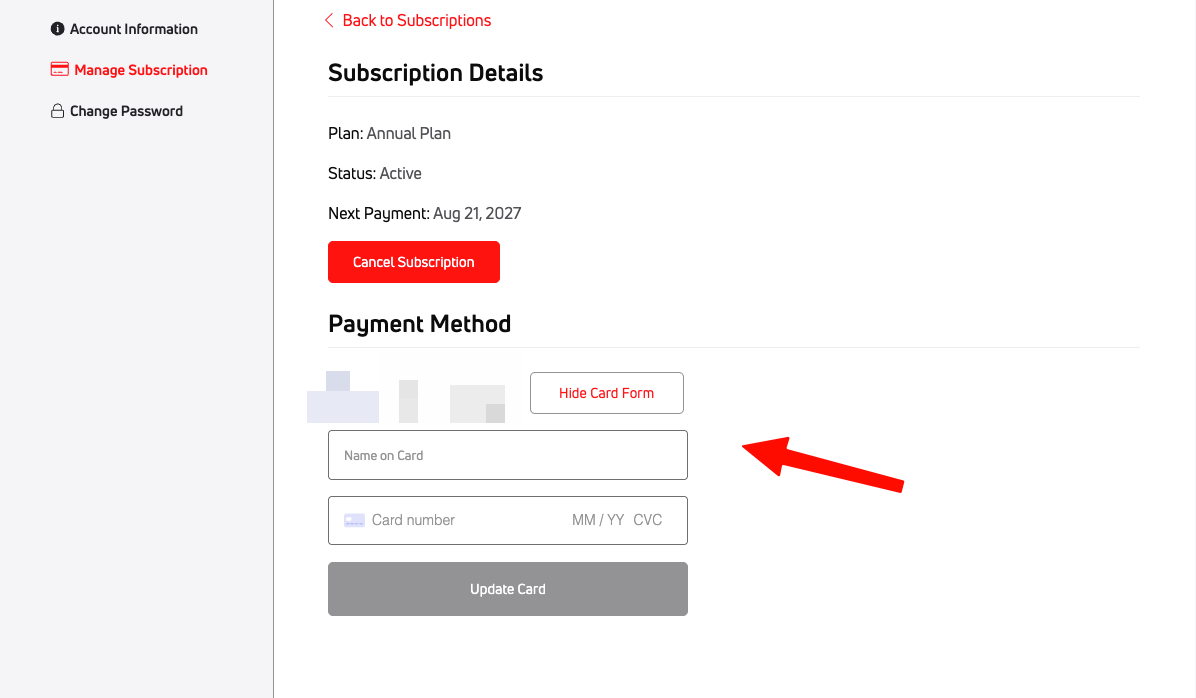
- Click Update Card to open the dropdown menu and enter in your new details.
- Save your changes.
If your subscription is billed through Roku, Samsung, VIZIO, or another third-party provider, you’ll need to update your payment method through that provider.