
Cancel your subscription
You can cancel your FloSports subscription at any time. The easiest way to manage your FloSports account is through a web browser. After you cancel, you’ll continue to have access until the end of your current billing period. Your subscription will not renew unless you subscribe again.
The steps to cancel depend on where you purchased your subscription.
Canceling on the FloSports website
- Sign in to your FloSports account.
- Select the Account profile icon in the top-right corner when visiting a FloSports website.
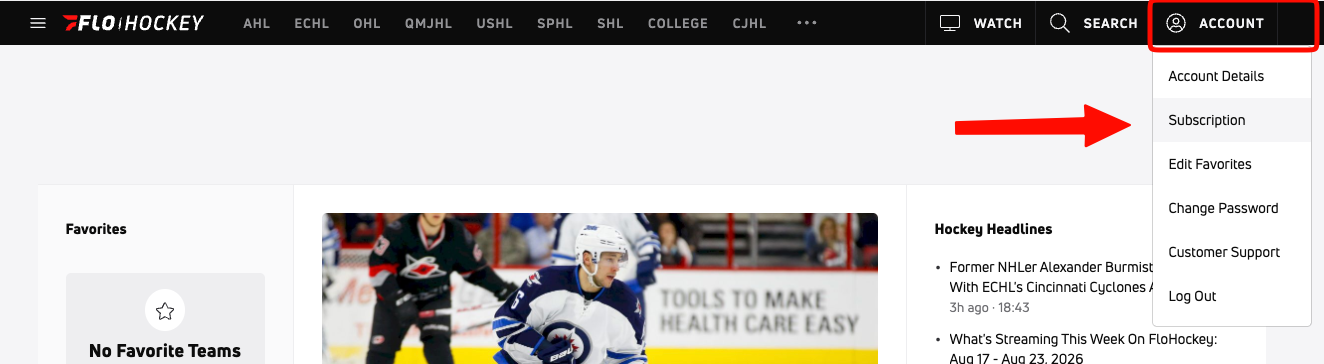
- Select Subscription.
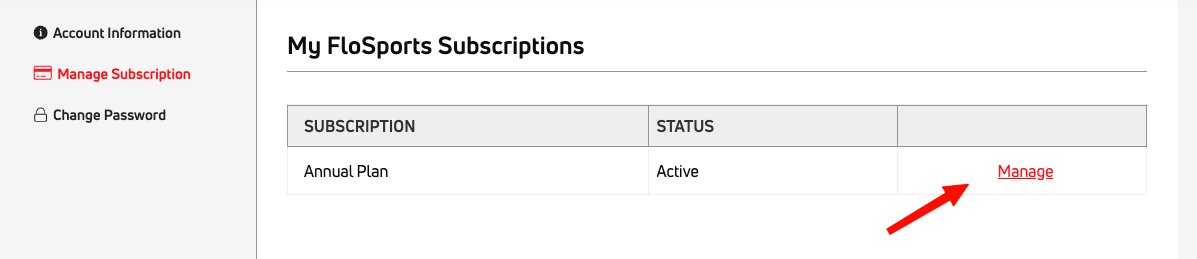
- Select Manage.
- Select Cancel Subscription.
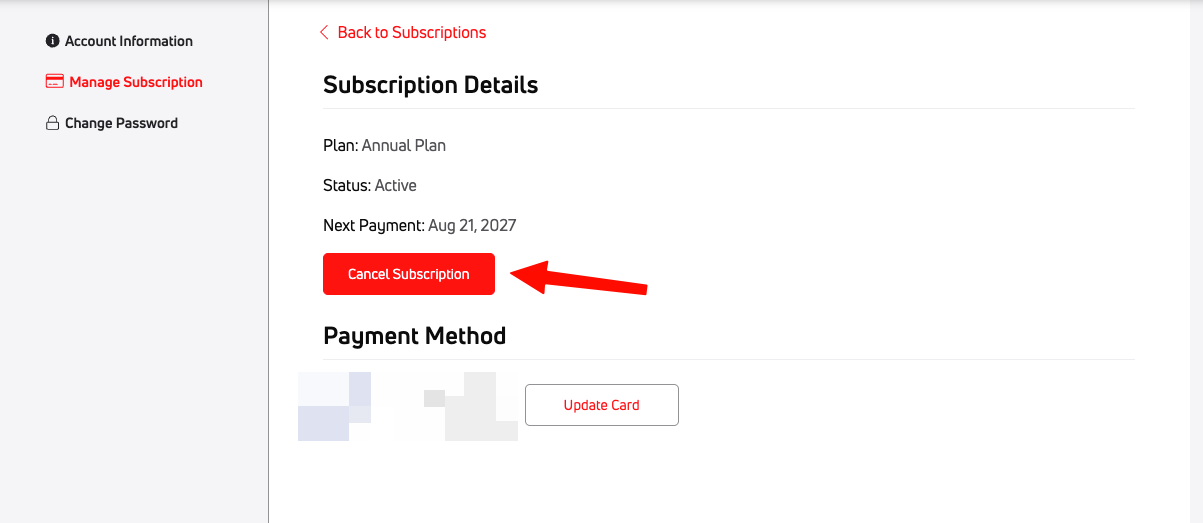
- Follow the prompts to confirm your cancellation.
If you subscribed through Samsung, Roku, VIZIO, or another third-party provider
Subscriptions purchased through a third-party provider must be cancelled through that provider. FloSports cannot cancel or manage subscriptions billed by another company.
You’ll need to manage your subscription using the same platform where you originally subscribed.
See the related articles for:
- Cancel a Roku Subscription
- Cancel a Samsung Subscription
- Cancel a VIZIO Subscription
- Manage a Legacy Apple App Store Subscription
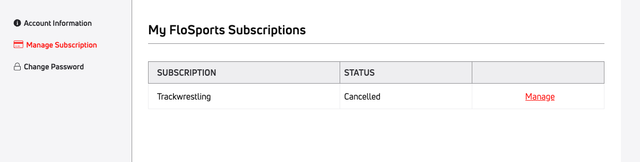
How do I know my subscription is cancelled?
After cancelling, look for a confirmation email that includes your subscription end date.
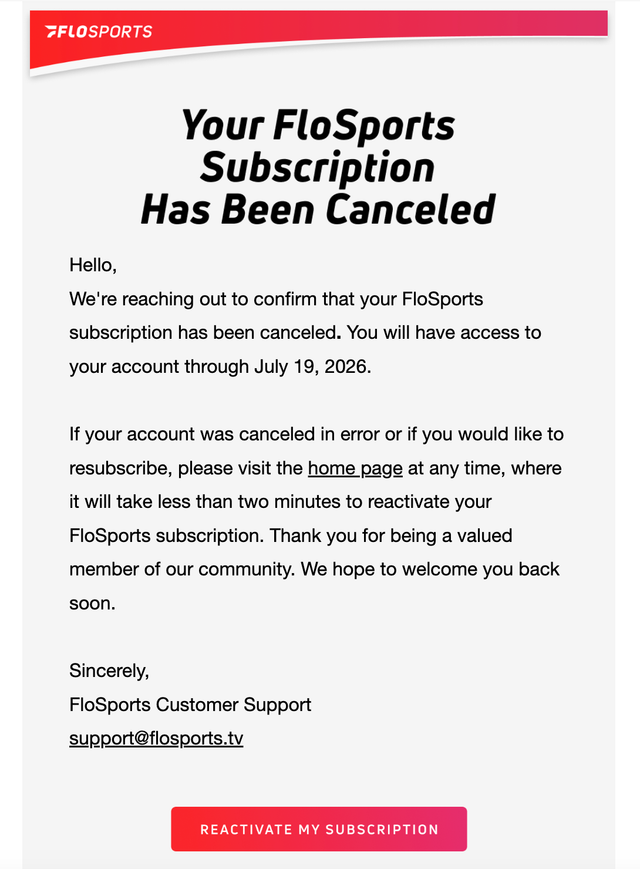
If you don’t receive a confirmation email, verify your subscription status in your account.
Need help?
If you’re unsure whether your subscription was successfully cancelled, contact FloSports Support.